If you’ve ever scrambled to update your learning objectives before an admin walkthrough, you’re not alone. Between lesson planning, grading, and everything else on your plate, keeping those standards visible can feel like just one more thing to manage. But here’s the thing – when done right, a learning objectives display isn’t just about checking a box for your administrator. It can actually be a useful teaching tool that keeps you on track and helps students take ownership of their learning.
Let’s talk about what learning objectives actually are, where to find them for your grade level, and the easiest ways to set up a display system that works for you (and actually stays updated).
What are Learning Objectives?
Learning objectives go by many different names: learning goals, learning targets, essential questions, I can statements, or content objectives. It all depends on how they’re being used in your classroom. But here’s what matters most – learning objectives tell us exactly what knowledge and skills we want our students to walk away with by the end of a lesson or unit.
These objectives aren’t just helpful for keeping us on track as teachers. They also give students a clear picture of what they’re working toward, which increases accountability and helps them understand the “why” behind what they’re learning. And let’s be honest, most administrators require that we have current learning objectives posted somewhere visible in our classrooms, so having a system that works is essential.
Where Can I Find My State’s Curriculum Standards?
Learning objectives come directly from curriculum standards, which are different for every grade level in every state. The easiest place to start is your state’s Department of Education website. You can also simply Google “curriculum standards [your state]” to pull them up quickly.
If your state uses Common Core State Standards for math and ELA, you can view the standards at CoreStandards.org.
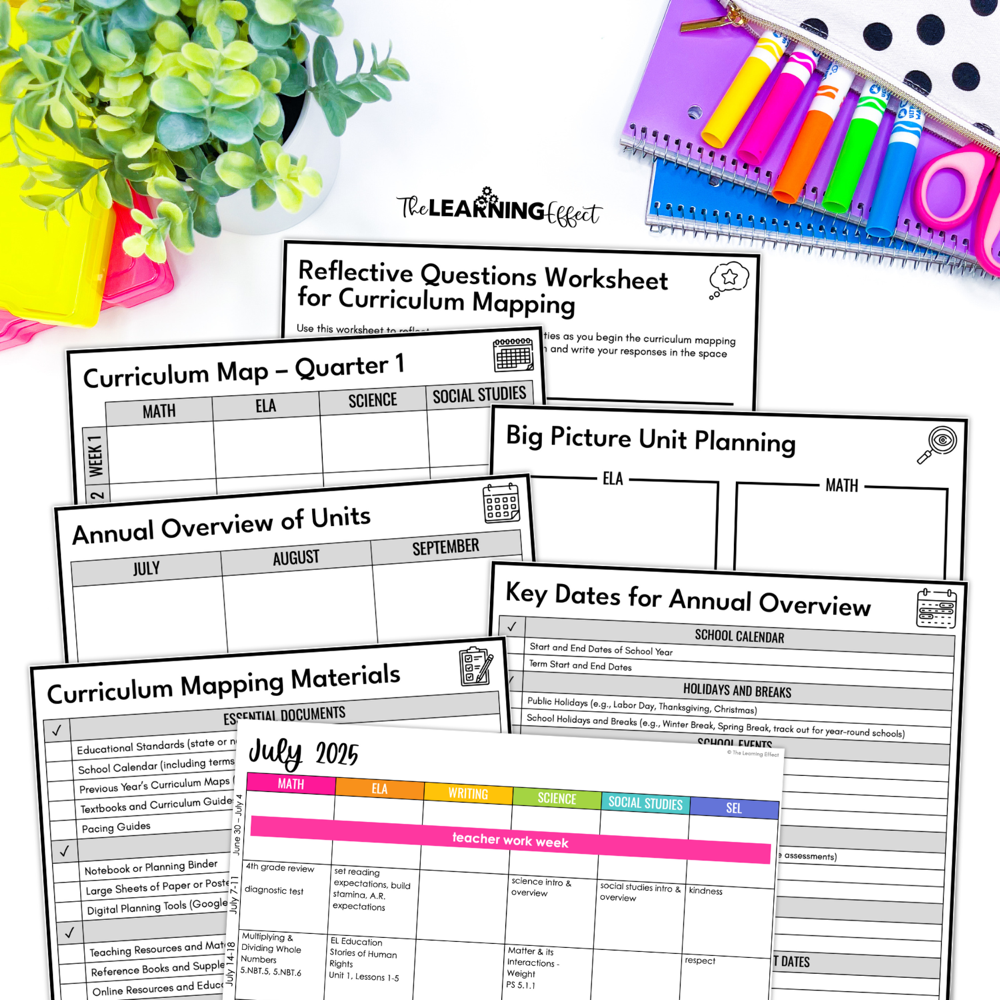
Want to Go Deeper? Grab My Free Curriculum Mapping Guide
Understanding your standards is one thing – but knowing how to map them out across the school year in a way that actually makes sense? That’s where the magic happens. My free Curriculum Mapping Guide walks you through how to organize your standards, plan strategically, and save yourself from last-minute scrambling. It’s designed specifically for upper elementary teachers who want a clear roadmap without the overwhelm.
Are There Resources Available to Help Me Understand Curriculum Standards?
Yes! Here are some resources that can save you hours of head-scratching when you needed to break down standards:
- Unpacking Standards with ChatGPT | The Core Collaborative
- Google “unpacked standards [your state]”: You might find ready-made documents for your state. For example, North Carolina has unpacked content documents for every grade level and subject, which is incredibly helpful.
How Can I Display Learning Objectives in My Classroom?
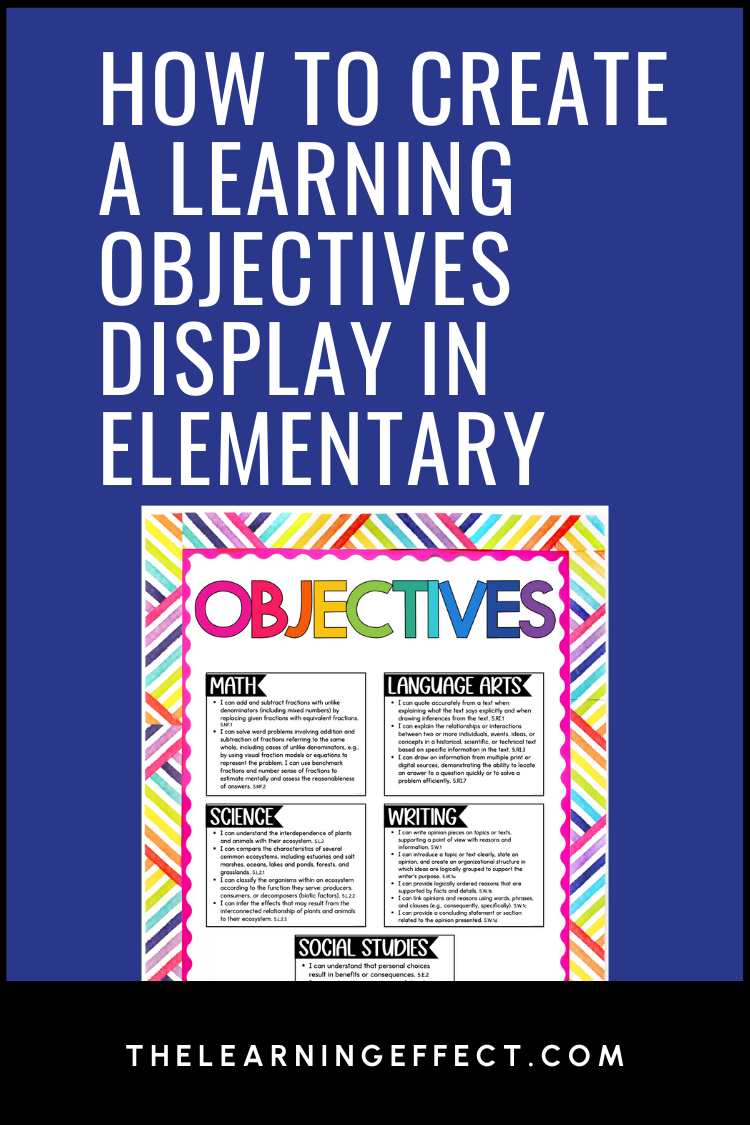
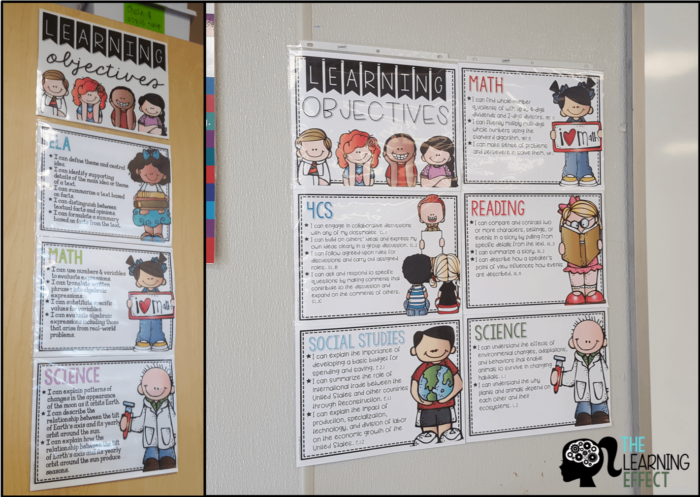
There are countless ways to display learning objectives, and I’ve tried many of them over the years. My favorite method? Have your standards typed out and ready to go. You can reuse them each year and avoid the hassle of looking them up every time you need to swap them out.
I’ve tried writing learning objectives on a whiteboard, but they take up valuable board space and require constant updating. Some teachers create bulletin board displays for each subject and switch them out as needed, which works well if you have the wall space.
Setting Up Your Learning Objectives Display: A Practical Approach
Here’s how to create a display system that actually works without eating up your prep time:
Choose Your Organization Method
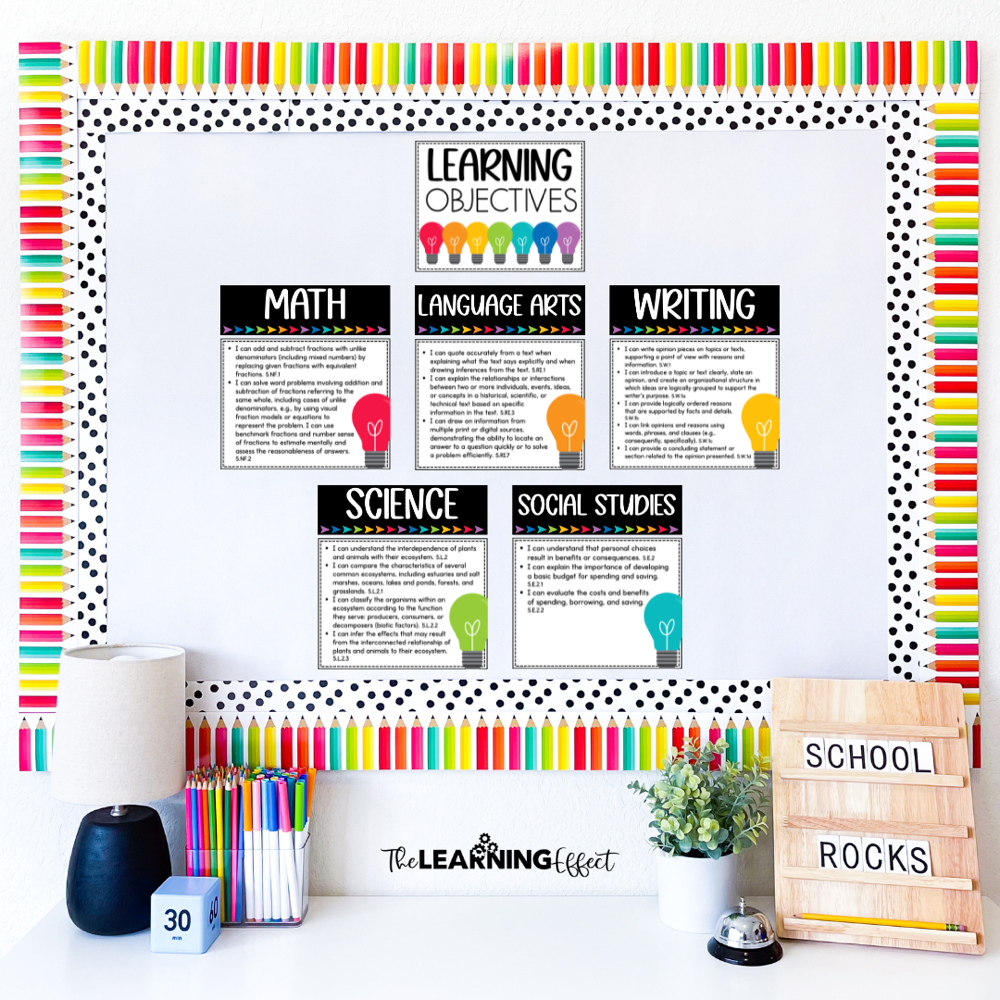
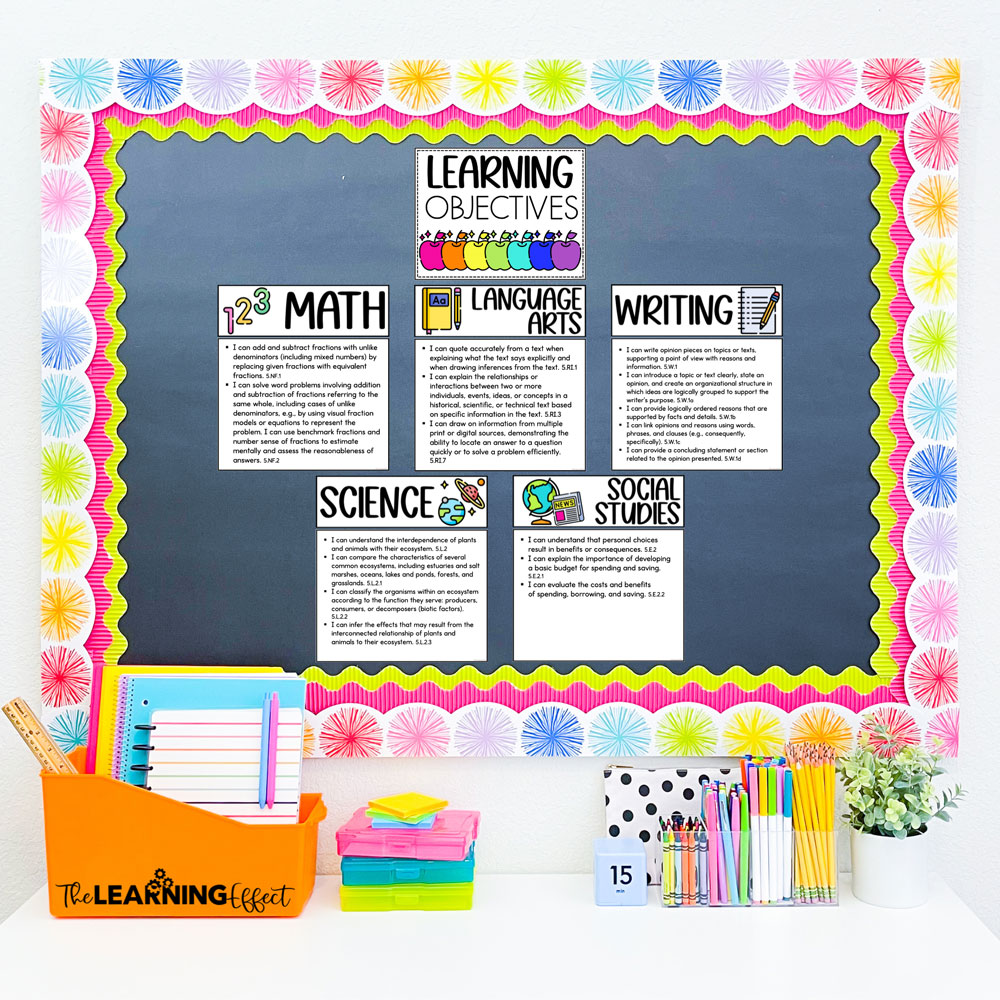
You have two main options: organize by subject or by time period. When I was teaching, I organized mine by subject (one section for math, one for science, etc.) because it made more sense for how I planned my lessons. But some teachers prefer a weekly format where all subjects for that week are displayed together. Pick whichever matches your planning style – you’ll be more likely to keep it updated.
Make Standards Student-Friendly
This is crucial. Your state standards probably look something like “CCSS.MATH.4.NF.A.1” which means absolutely nothing to a 9-year-old. Take the extra few minutes to translate these into “I can” statements. For example:
- Standard: CCSS Math 4.NF.A.1
- Student-Friendly Version: “I can explain why two fractions are equivalent using visual models.”
Yes, this takes time upfront, but you only have to do it once per year. And trust me, it makes a huge difference when you’re actually using these with students.
Pick Your Physical Location Wisely
Your learning objectives display should be somewhere students can easily see it from their seats, but it doesn’t have to be front and center. I’ve seen great displays on side bulletin boards, near the door (perfect for those admin walk-throughs!), or even on a rolling whiteboard that you can move around. Just make sure it’s at student eye level and not competing with other important information.
Using Your Display as an Actual Teaching Tool
Here’s where your learning objectives display goes from “thing on the wall” to “valuable classroom resource.” You’ve already put in the work to create it – now make it earn its keep.
Reference It During Instruction
At the start of each lesson, take 30 seconds to point to your learning objectives and tell students, “Today we’re working on this.” At the end, come back to it: “Did we accomplish what we set out to do?” This simple routine helps students see the connection between what they’re doing and what they’re learning. It also keeps you accountable to staying on track – I can’t tell you how many times I’ve caught myself going off on a tangent and used my displayed objectives to reel myself back in.
Let Students Track Their Progress
Some teachers give students individual copies of the week’s or unit’s learning objectives and have them self-assess with a simple color-coding system (red = still learning, yellow = getting there, green = got it). This works especially well in upper elementary where students can realistically gauge their own understanding. It takes about two minutes at the end of class and gives you incredibly valuable formative assessment data.
Make It Part of Student-Led Conferences
If you use student-led conferences (and if you don’t, you might want to check out my post on how to effectively run student-led conferences), your learning objectives display becomes a built-in discussion guide. Students can walk their parents through what they’ve been learning and show evidence of their growth. This is especially powerful when you’ve had students tracking their progress throughout the unit.
My Best Time-Saving Tips for Learning Objectives
After years of maintaining these displays, here’s what I learned works best:
Batch-Create Your Objectives
Don’t create your objectives week by week—you’ll drive yourself crazy. Instead, spend an hour or two at the start of each quarter or unit and create all your student-friendly objectives at once. Save them in a document you can access year after year. This is one of those tasks where an hour of work upfront saves you hours throughout the year. For more strategies like this, check out my post on 3 simple ways to save time lesson planning.
Print and Laminate
If you’re using paper labels or cards for your display, print them on cardstock and laminate them. Yes, the laminator is annoying to drag out, but you’ll thank yourself when you’re reusing these same objectives next year instead of reprinting everything.
Prep a Few Weeks Ahead
Keep yourself sane by having the next two to three weeks of objectives already prepped and ready to swap in. That way, even during your busiest weeks, updating your display takes 60 seconds instead of 20 minutes of hunting through standards documents.
What If Things Don’t Go According to Plan?
Let’s be real – your display isn’t always going to match exactly what you’re teaching. Maybe you spent an extra day on fractions because students needed it, or maybe you had to shift things around for an assembly. That’s okay. Your learning objectives display is a guide, not a contract.
If you’re significantly behind (like, a week or more), it’s better to update your display to reflect reality than to leave up objectives that don’t match what you’re actually teaching. Administrators understand that pacing adjusts – what they want to see is that you’re intentional about what you’re teaching and that students know what they’re working toward.
For standards that take multiple weeks to master, you can either keep the same objective up the whole time or break it into smaller chunks. For example, “I can add fractions with unlike denominators” might stay up for two weeks, while you’re working through different aspects of that skill.
Create Your Own Learning Objective Display
If you’re ready to set up a system that actually works for you, I’ve created editable Learning Objective Display Labels that you can customize for your classroom. They’re designed to be simple to update, easy to read from across the room, and professional enough to impress any administrator who walks through your door.
These templates work whether you want to type your objectives or handwrite them, and they’re formatted to print on standard cardstock. You’ll get multiple layout options so you can choose what fits your space best.
With these templates and the strategies above, you’ll have a learning objectives display that doesn’t just check a box – it actually supports your teaching and helps your students understand what they’re learning and why it matters.

Making Your Learning Objectives Display Work for You
A learning objectives display doesn’t have to be one more thing that stresses you out. When you set it up thoughtfully and use it intentionally, it becomes a tool that supports both your teaching and your students’ learning. Start with a system that matches how you already plan, translate those standards into language your students can actually understand, and reference them regularly so they become part of your classroom routine rather than just decoration on the wall.
The time you invest upfront – batch-creating objectives, laminating cards, or setting up your templates – pays off throughout the year in minutes saved and stress avoided. And when your students start pointing to those objectives during discussions or tracking their own progress, you’ll realize it’s doing exactly what it’s supposed to do: making learning visible and keeping everyone focused on what matters most.