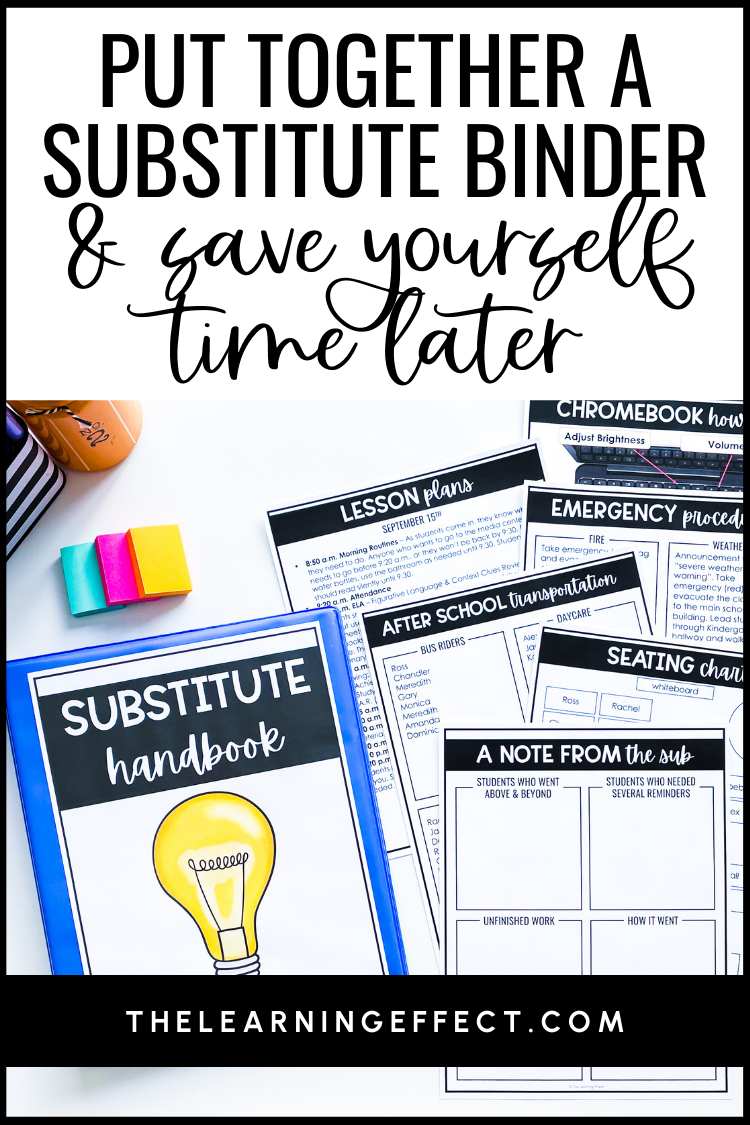
When you’re home sick at 5 AM trying to write sub plans, the last thing you want is to scramble for basic classroom information. That’s where a well-organized substitute binder becomes your lifesaver.
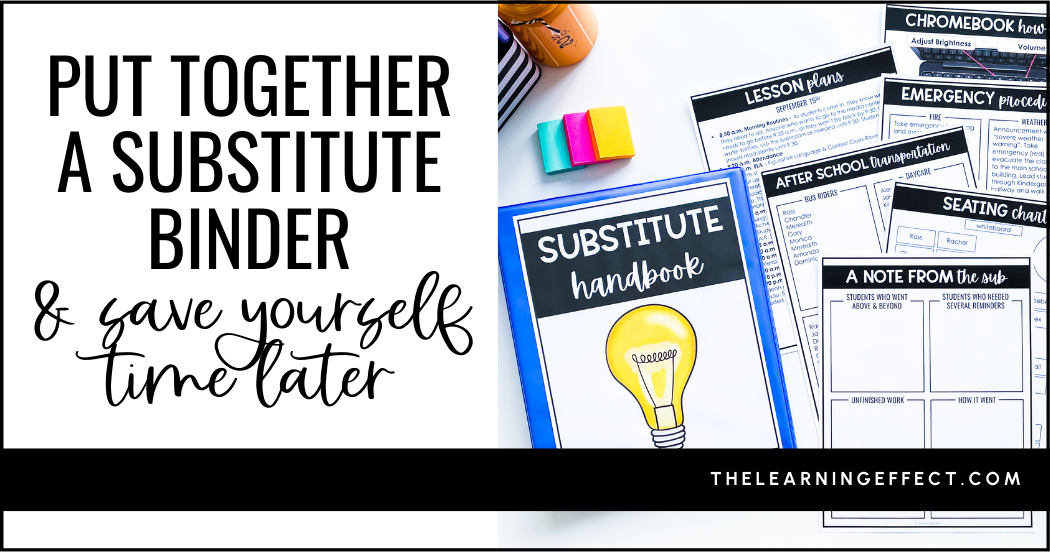
A substitute binder contains all the essential information your guest teacher needs – from student lists to emergency procedures – so you only need to add lesson plans when you’re out. Let me show you exactly how to create one that will save you time and stress all year long.

Why Every Upper Elementary Teacher Needs a Substitute Binder
Having worked as both a teacher and a substitute, I can tell you there’s nothing worse than walking into a classroom with no information about the students or daily routines. A substitute binder gives your guest teacher confidence and gives you peace of mind.
Here’s what makes a difference: Last year, when I had to take an unexpected day off for my daughter’s emergency, I simply texted my principal the location of my substitute binder and lesson plans. My sub later told me it was the most prepared classroom she’d ever walked into – and my students had a smooth, productive day.
Your substitute binder also works perfectly for planned absences like professional development days or maternity leave. All your classroom information is ready to go, making transitions seamless for everyone involved.
Want to skip the setup time? I’ve created ready-to-use substitute binder templates that include some of the essential pages every upper elementary teacher needs. Simply download, customize with your information, and print – no design work required! Get your free Substitute Binder Templates to get started right away.
Can’t tackle the whole binder today? Start with these three essentials that take just 15 minutes: create your class roster, write down your daily schedule, and jot down three emergency contact numbers. You can build from there!
Essential Components of an Effective Substitute Binder
Your substitute binder should include six key sections that cover everything a guest teacher needs to know:
1. School Information
- Main office contact numbers
- School map highlighting important locations (nurse, office, your grade level)
- Emergency procedures (fire drill, lockdown, severe weather)
- Names and room numbers of helpful colleagues
2. Student Information
- Current class roster with pronunciation guides for tricky names
- Seating chart (updated monthly)
- Medical needs and allergies
- Transportation information (bus numbers, car riders, walkers)
- Students who receive special services or accommodations
3. Daily Schedules and Routines
- Regular daily schedule with times
- Specials schedule (PE, music, art, library)
- Intervention times and which students participate
- Lunch and recess procedures
4. Classroom Management and Procedures
- Classroom rules and expectations
- Behavior management system you use
- Bathroom and water fountain procedures
- How students turn in work
- End-of-day dismissal routine
5. Technology Information
- Wi-Fi passwords and login credentials
- How to use classroom devices (tablets, smartboard, document camera)
- Student technology rules
- Troubleshooting contacts for tech issues
6. Emergency Resources
- Names of students who can be reliable helpers
- Indoor recess activities
- Time filler activities for unexpected free time
- Location of emergency sub plans
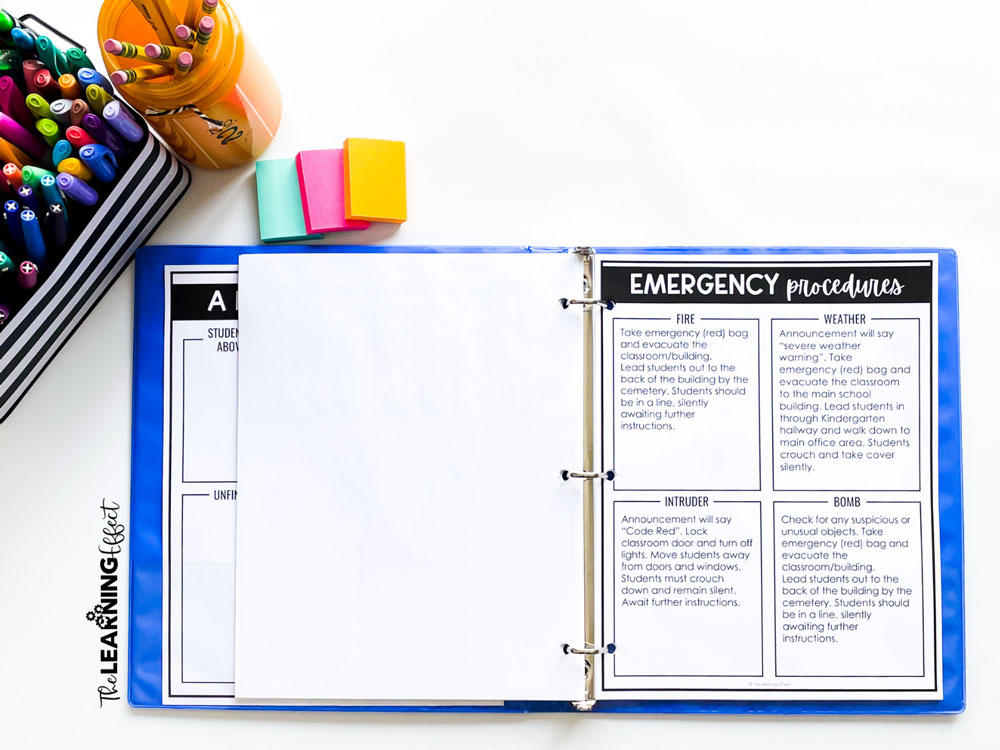
How to Create Your Substitute Binder (Step-by-Step)
Step 1: Gather Your Materials
You’ll need a 1-inch binder, divider tabs, sheet protectors, and access to a computer for typing templates. I recommend using sheet protectors for pages that might get messy and laminating frequently-used reference sheets.
Step 2: Set Up Your Sections
Create six tabbed sections using the components listed above. Use colored dividers so sections are easy to find quickly.
Step 3: Fill in Static Information
Start with information that won’t change often—school procedures, emergency contacts, and general classroom rules. Type these up so you can easily update and reprint when needed.
Step 4: Add Dynamic Information
Include your current class roster, seating chart, and daily schedule. Plan to update these sections monthly or when major changes occur.

Substitute Binder Maintenance and Updates
Your substitute binder isn’t a “set it and forget it” resource. Here’s how to keep it current:
- Weekly: Update your seating chart if you’ve made changes
- Monthly: Review and update your class roster for new students or departures
- Quarterly: Check that emergency procedures and contact information are still accurate
- Yearly: Refresh all templates and procedures for the new school year
Pro tip: Set a monthly reminder in your phone to review your substitute binder. It only takes 10 minutes but ensures everything stays current.
Time-Saving Tips for Your Substitute Binder
Prep Over Summer: Create your substitute binder templates during summer break when you have more time. Save everything digitally so you can easily update information throughout the year.
Keep It Simple: Don’t over-complicate procedures. If something changes frequently, keep the description general. For example, instead of listing specific teacher room numbers that might change, just note “other 4th grade teachers” and provide the general hallway location.
Use Technology: Consider creating a digital version of key pages that you can email to substitutes in addition to your physical binder.
Involve Students: Train a few responsible students to be “substitute helpers” who can assist with daily routines and answer basic questions.

Frequently Asked Questions About Substitute Binders
How often should I update my substitute binder?
Review static information quarterly and dynamic information (like seating charts) monthly. Set a recurring reminder to make this automatic.
What’s the most important section to complete first?
Start with your student information and daily schedule—these are what substitutes need most to get through the day successfully.
Should I include emergency sub plans in my binder?
Absolutely! Include 2-3 days of emergency activities that require no prep and minimal materials. This is a lifesaver when you’re too sick to create detailed lesson plans.
Can I create a substitute folder instead of a binder?
Yes! Some teachers prefer folders or even digital documents. The key is having all information organized and easily accessible.
Ready to Create Your Substitute Binder?
Creating a comprehensive substitute binder might feel overwhelming at first, but remember – you’re investing a few hours now to save yourself stress and scrambling later. Start with the essentials this weekend, and build from there.
Want to skip the setup time? I’ve created substitute binder templates that include all the essential pages every upper elementary teacher needs. These editable templates let you simply fill in your specific information and print – no design work required.
Your future sick-day self will thank you for taking the time to create a thorough substitute binder. There’s nothing quite like the peace of mind that comes from knowing your classroom is in good hands, even when you can’t be there.
Ready to get started? Block out two hours this weekend to create your substitute binder foundation. Your students, your substitutes, and your stress levels will all benefit from this simple but powerful organizational tool.